Buddies

Buddies are bayically contacts in a phonebook they can be configured by clicking on the Buddies icon.
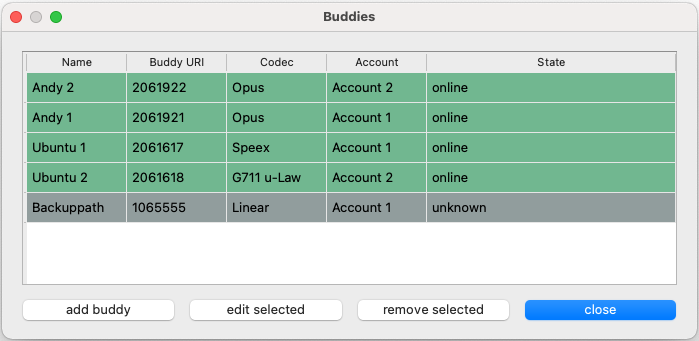
Each configured buddy is shown as a separate line in the table. A Buddy consists of a name the corresponing sip uri, codec settings and the account that owns the buddy.
There are three different states that are indicated with colors.
state |
description |
|---|---|

|
the contact is either offline or the other side don’t support SIP presence extention (RFC 3856) |

|
the contact is online and available. |

|
the contact is already in a call. |
add Buddy
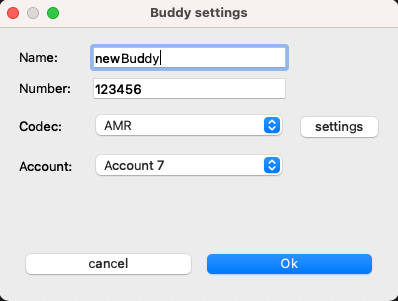
In the add buddy window you can configure a new buddy. You can choose a custom Name for the contact and add the SIP number in the Number field. You need to specify an account for your buddy. This is neccesary that the application can extend the number to a fully specified SIP URI e.g. sip:123456@voip-provider.example.net
The specified codec and its settings are needed for the autoconnect feature as well as default when using the buddy manually with the make call button.